
Pro Let people translate without giving them the whole site.
Add a translator #
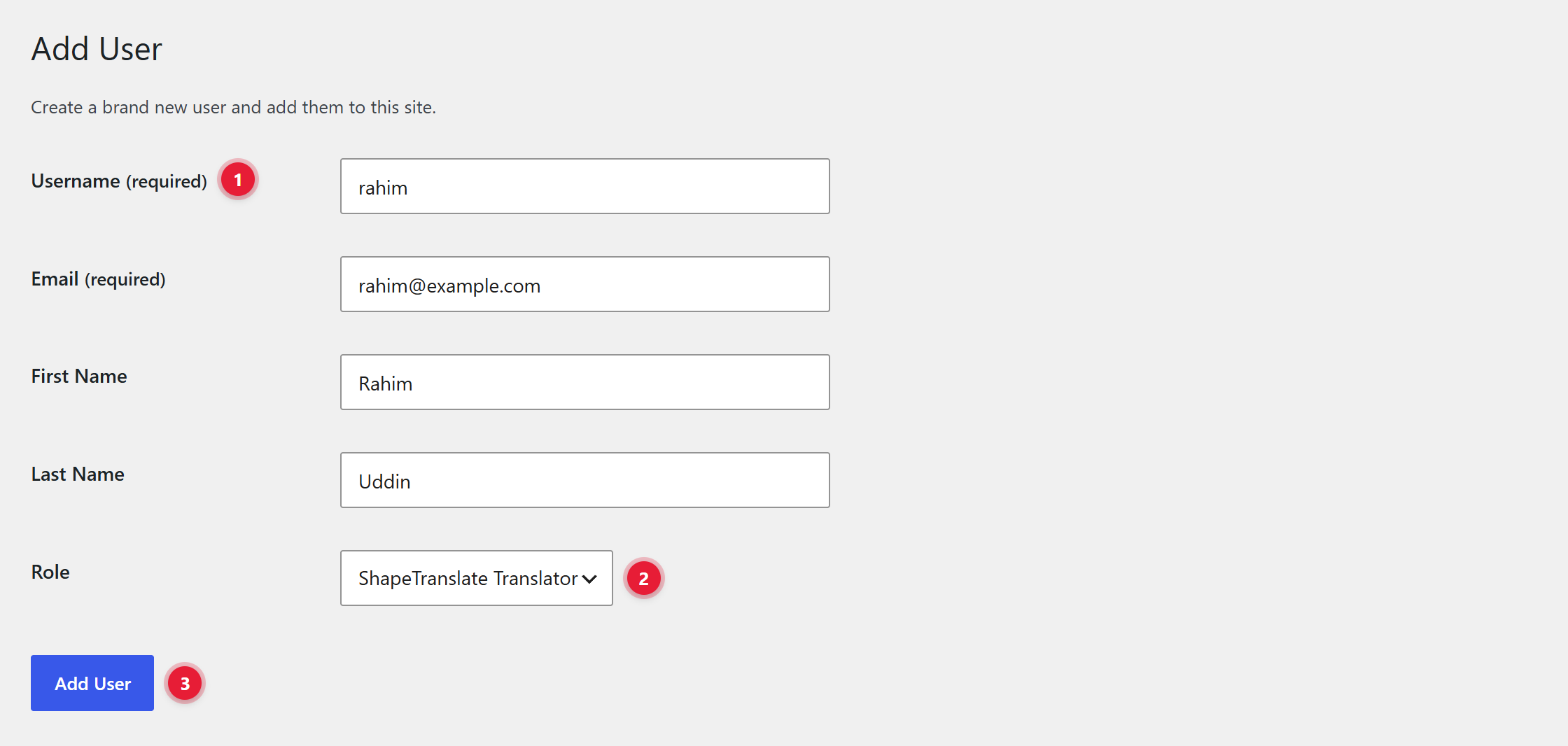
- 1User details. Username and email.
- 2Role. Choose ShapeTranslate Translator.
- 3Add User.
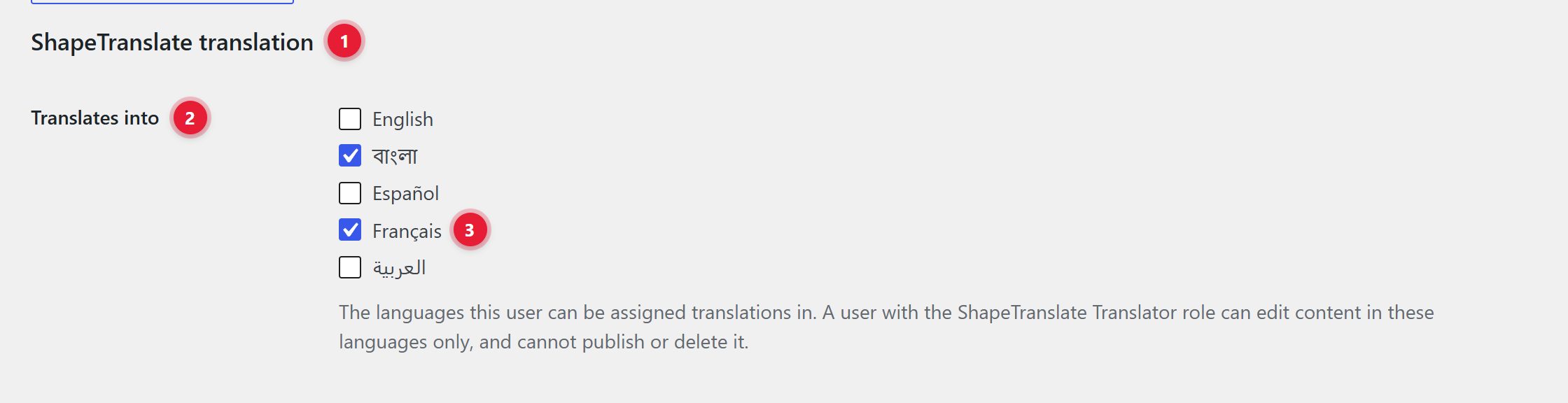
- 1ShapeTranslate translation. A section on every user profile.
- 2Translates into. The languages this user can be assigned translations in.
- 3Ticked languages. Here বাংলা and Français. Any user, not only translators, can have languages set.
What a translator can do #
- Edit content in their languages only, including products when WooCommerce is active.
- They can’t publish or delete content. They submit it for review.
- Administrators, editors and shop managers translate and review.


