
Pro The rest of WooCommerce follows the language as well.
Reports and Analytics #
- WooCommerce → Analytics gets a Language filter (All languages, or one) on Revenue, Orders, Products, Variations, Categories, Coupons, Taxes, Customers and Downloads.
- Product reports count a product once across its languages.
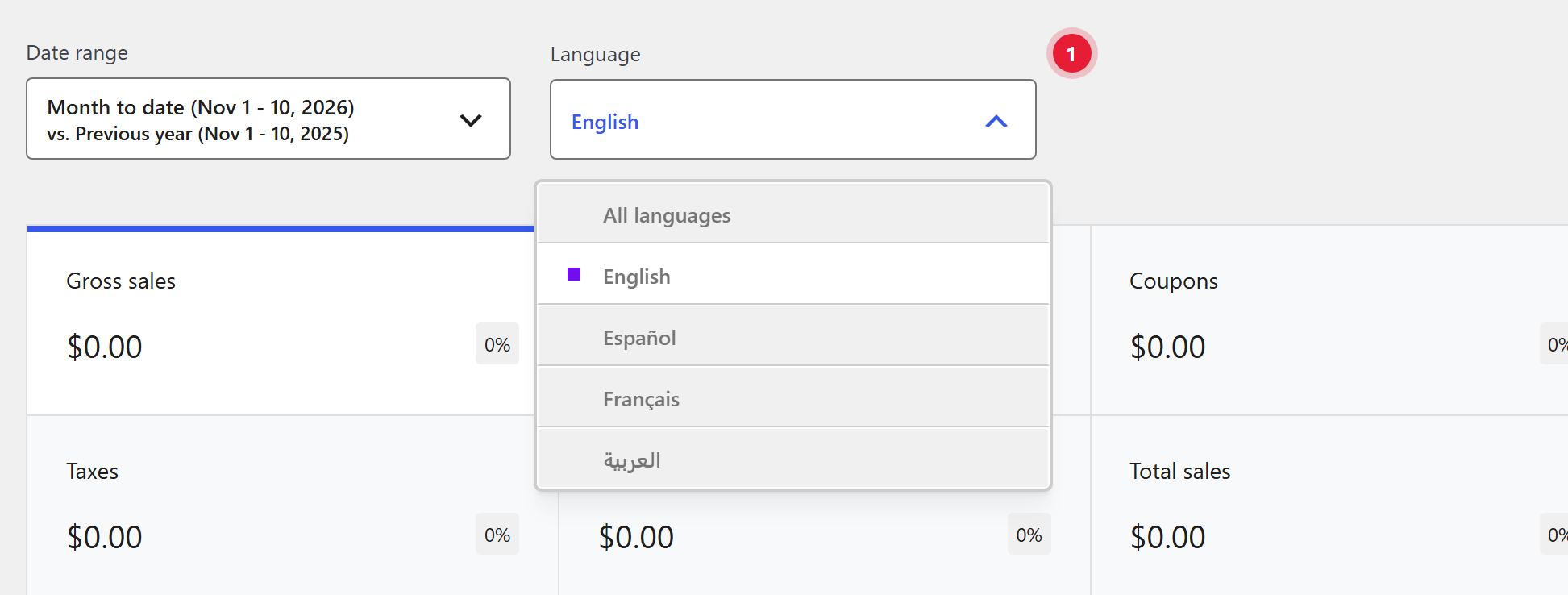
- 1Language. Shows the figures for one language, or All languages. It starts on the language chosen in the admin bar, and shows only when the site has two or more languages.
CSV import and export #
- Export adds Language and Translation group columns and includes every language.
- Import creates each row in its language and links rows that share a translation group. The format matches Polylang for WooCommerce, so you can move a store over.
Product blocks and shortcodes #
Blocks and shortcodes that point at a product or category, such as Featured Product, Hand-picked Products, Product Collection or [products ids="…"], show the current language’s translation automatically. You don’t need a copy per language.
REST API #
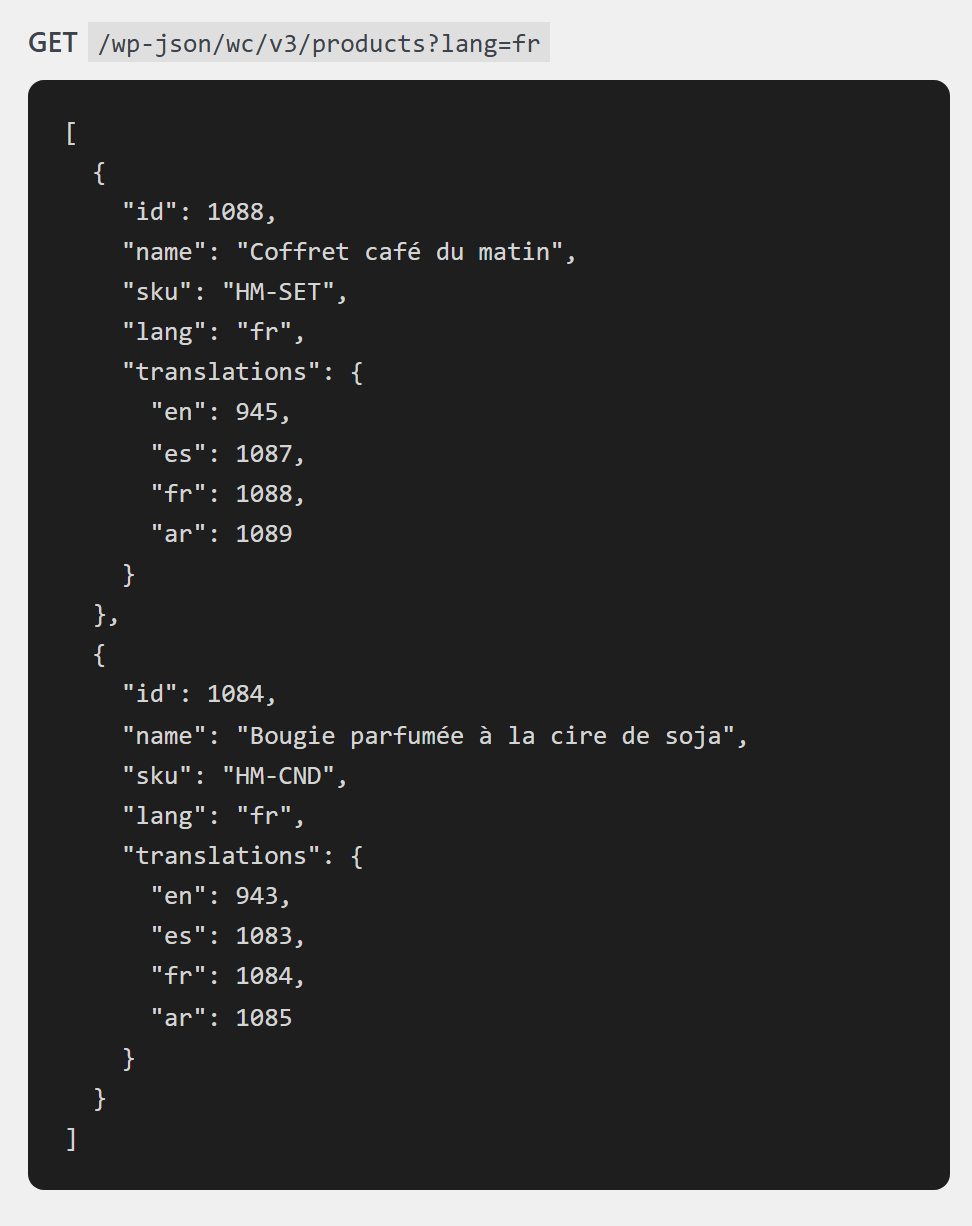
/wc/v3products, variations, orders and terms get alangfield, and products, variations and terms atranslationsfield.- Add
?lang=frto list one language. POST /wp-json/shapetranslate/v1/products/{id}/translatecreates a translation;GET /wp-json/shapetranslate/v1/products/untranslated?lang=frlists missing ones.
Supported add-ons #
| Plugin | What works |
|---|---|
| WooCommerce Subscriptions | Subscription settings shared across translations; renewals and their emails keep the original language; button texts and endpoints translatable. |
| Product Bundles, Composite Products, Mix and Match | Contents map to each language and stay together in the cart. |
| Checkout Field Editor (WooCommerce and ThemeHigh) | Field texts in String Translation → Checkout fields. |
| Stripe | Apple Pay and Google Pay buttons and the card form follow the page language. |
CurrencyShapeTranslate translates, it does not convert prices. Use a currency switcher plugin for a different currency per language.


